Ask Koo what's working in your niche
Koo is your research assistant. Ask in plain English and it searches Outliers, checks your competitors and breaks down videos, then answers with the posts it found.
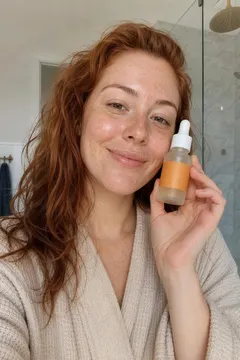
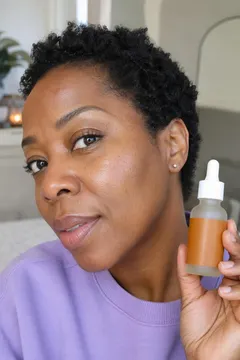
Example tour of Koo in five short chats. Koo finds skincare videos with 6 to 18 times their creator's usual views, ranks which competitors' posts beat their usual views, breaks down why a video worked (hook, script and structure), saves it as an idea and schedules it to TikTok, Instagram and YouTube at a recommended time.







One question instead of ten tabs
See the plan before it spends credits
In Ask first mode, Koo lays out the steps it wants to take and what they'll cost, then waits for your OK. Want changes? Just tell it. In Auto mode it gets on with the search without stopping to ask.
Which of my competitors' recent posts beat their usual views?
- 1List your competitors
- 2Get each one's latest posts
- 3Compare them with their usual views
Want changes? Just tell Koo.
Paste a link, get a breakdown
Drop a TikTok, Reel or Short into the chat and Koo breaks down its hook, script and structure. Save the report to Ideas, or ask Koo to rewrite part of it for your niche.
 12× usual
“I stopped doing these 3 things and my skin finally calmed down.”
- Names all three steps in the first five seconds
- Shows each one with a quick before and after
- Ends on the one product she kept
Use the same tools in your AI assistant
Koo's tools also work over MCP in Claude Code, Codex in ChatGPT, Cursor, VS Code and Gemini CLI. Find outliers, check on competitors and save ideas without leaving the chat you already have open.
Find skincare outliers from this week and save the best one to my ideas
cuekoo_list_outliersDonecuekoo_save_ideaDone
Found 9 posts beating their usual. Saved “Moisturizer on damp vs dry skin” (18× usual) to your Ideas board.
How it works
Ask a question
Type what you want to know, like which skincare videos took off on TikTok this week.
Koo does the digging
It picks the right tools, runs them and shows you each step and what it cost.
Act on the answer
Add creators to Competitors, save a video report to Ideas, or keep asking.
- TikTok
- YouTube
Koo works with posts and creators from TikTok, Instagram and YouTube. Each message uses credits, plus any paid tools Koo runs for you.
See plans and creditsQuestions, answered.
What is Koo?
Koo is Cuekoo's research assistant. You ask questions in plain English and it uses Cuekoo's tools, like Outliers, Competitors and video analysis, to answer with real posts and numbers.
What can AI social media tools do for creators?
The useful ones save you research time. Koo finds posts beating their usual views, looks up creators similar to the ones you like, checks how your competitors' posts are doing and breaks down videos, all from one chat.
How much does Koo cost to use?
Each message to Koo uses credits, and so does any paid tool it runs. In Ask first mode you approve the plan and its cost before Koo starts.
Can I use Koo in Claude or ChatGPT?
Yes. Koo's tools are available through Cuekoo's MCP server, which works with Claude Code, Codex in ChatGPT, Cursor, VS Code and Gemini CLI. You need an API key, which comes with a paid plan, and one change to your assistant's config.
Can Koo read images or files?
Not yet. Paste a TikTok, Instagram or YouTube link instead and Koo works from that.
Ask Koo your first question
Try “Find viral skincare videos on TikTok from the last 7 days” and see what comes back.