Schedule TikToks, Reels and Shorts from one calendar
Write the post, pick your channels and a time, and Cuekoo publishes it to TikTok, Instagram and YouTube. Your whole week sits on one calendar.
 6 PM3 steps I quit
 Night routine under $2012 PM3 steps I quit9 AM3 steps I quit
Plan the week in one view
One composer, each platform's rules
Add your video, write the caption and pick the channels. The composer checks each platform's rules as you go, from caption length to TikTok's visibility and disclosure settings and a YouTube title, and shows a preview before anything goes out.
- A single video on Instagram is shared as a Reel
- On YouTube, your caption becomes the description
- TikTok posts can go out directly or to your TikTok inbox
 3-steps-i-quit.mp4
3 skincare steps I quit, and what happened to my skin. Which one surprised you?
- Publish directly · Everyone
- Shared as a Reel
- Title: 3 skincare steps I quit
Your ideas, one tab away
Plan on the Ideas board, then schedule from the calendar. When a post made from an idea goes live, that idea moves to done, so you always know what's still waiting to be made.

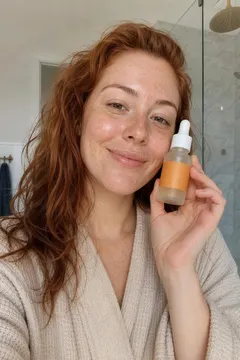 @bareface.jo4.2× usual

 @minaglows12× usual2
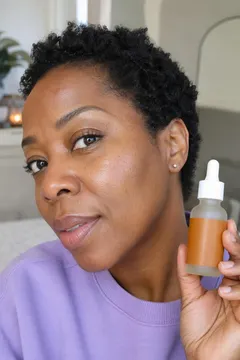 @theroutinelab7.5× usual
See how it did
Once a post is live, its views, likes and engagement show up in Analytics next to the rest of your channel. Find the ones worth doing again.
@skinwithsamHow it works
Connect your channels
Link your TikTok, Instagram and YouTube accounts.
Write and preview
Add your video and caption, then check the preview for each platform.
Pick a time
Use a suggested slot on the calendar or pick your own. No date yet? It waits with your other drafts.
- TikTok
- YouTube
Publish posts to TikTok, Instagram and YouTube. Connecting channels and scheduling come with a paid plan, and publishing doesn't use credits.
See plans and creditsQuestions, answered.
Can you schedule TikTok posts?
Yes. Connect your TikTok account, upload the video, write the caption and pick a time. Cuekoo publishes it for you, or sends it to your TikTok inbox as a draft if you'd rather add sounds and effects in the app before posting.
How do I schedule Instagram Reels?
Connect your Instagram account and add a single video, which is shared as a Reel. Write the caption, pick a time on the calendar, and Cuekoo posts it then.
How do I schedule YouTube Shorts?
Connect your YouTube channel, upload the video, add a title and pick a time. Your caption becomes the video description.
Does Cuekoo suggest the best time to post?
The calendar highlights good times to post on each platform. Drop a post into one of those slots, or pick any time you like.
Is scheduling free?
Scheduling needs a connected channel, and connecting channels comes with a paid plan. Publishing itself doesn't use credits.
Get next week's posts on the calendar
Connect your channels, write each post once, and let Cuekoo post on time.